Dashboard
The dashboard is the first entry of the navigation, which is grouped by what a reader comes to do:
- Dashboard — this page.
- Configuration — the repositories, solutions and projects, and the container images.
- Security — the security posture overview, the issues, the remediation plan and its delays, the history, the inventory and the views that rank or map the backlog (EPSS, blast radius, licences, attack surface and paths, OWASP Top 10:2021).
- Compliance & evidence — the compliance matrix, the exceptions register and, for the roles that read governance, what an assessor asks for: the statement of applicability, the certified scope, the gate verdicts, the attestation.
- Operations — notifications, and for administrators the SSH keys and HTTPS tokens.
- Administration — what the role allows: policies, rule sets, plugins, the audit log, keys, agents, accounts, settings.
What a menu shows depends on the role; a page it does not offer to an account is a page the server would refuse it.
The code-quality backlog has no menu entry: it is opened from this page, by the Quality count beside the backlog by severity, marked never blocks. It ranks quality findings by rule, file and repository, and none of it can fail a build — see Code quality.
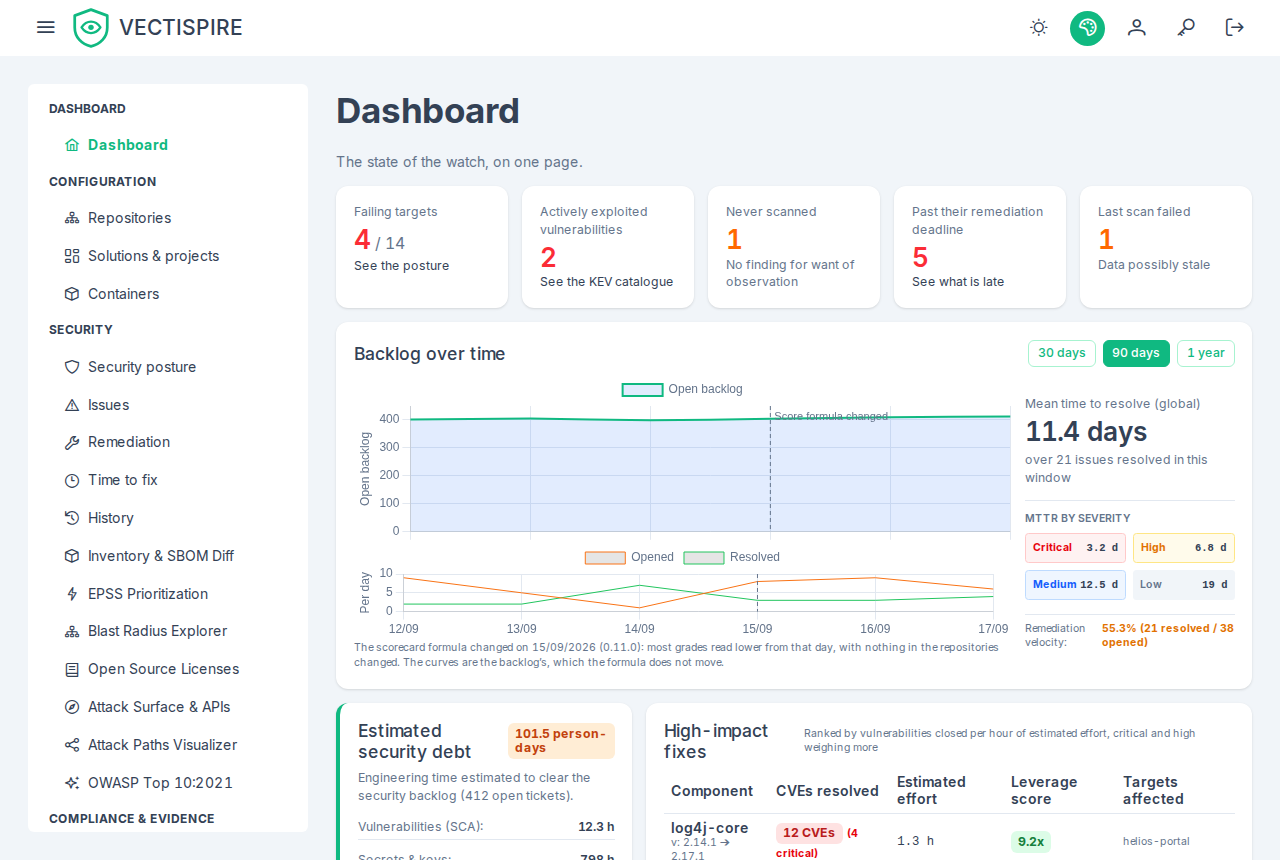
The security overview
Per target: the gate verdict, the standing backlog by severity, and when it was last scanned. The per-severity figures leave out findings triaged not affected, will not fix or fixed, as every figure of risk does; each opens the findings list with the same filter, so the count and the list agree. The verdict has been computed since gate policies existed; this screen is where it is finally shown.
Two states are named here that appear nowhere else: a target never scanned, and one
whose last scan failed. Both carry an empty or stale backlog, which would pass every policy, so
both fail their verdict with an observation violation — the one POST /api/v1/gate answers — and
the badge beside it says which.
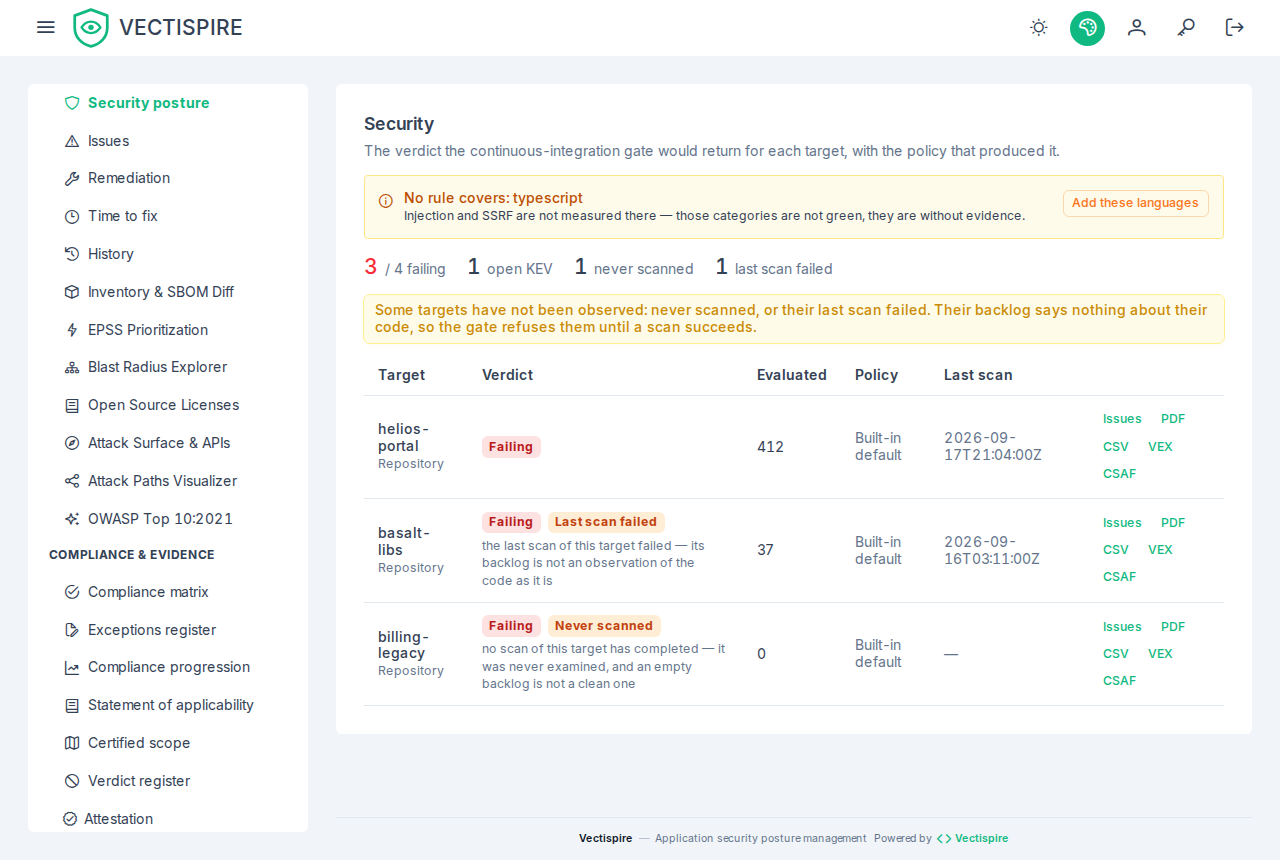
Backlog over time
The figures above are snapshots. They answer "how much" and never "better or worse than last month". The series answers that: standing backlog day by day, what appeared against what was resolved, and the mean time to resolve.
MTTR is shown absent rather than zero for a period in which nothing was resolved. Zero would read as "fixed the day it appeared", which is the opposite of what happened.
A dated line marks the day the scorecard formula changed on this installation — the day it was upgraded to 0.11.0, when it already held a completed scan — and a note under the charts says so. The curves are the backlog's, which the formula does not move; the line is there for whoever sets a grade beside them, since most grades read lower from that day with nothing in the repositories changed. A fresh installation has no grade under the old formula, and no line.
The series is narrowed by your visibility like every other view — see Users and teams.
Security posture grade
The portfolio has no single grade. The panel above the ranking shows, over the targets you see, how many read each grade — A+ to F, and No data for those never scanned —, the weakest target by name with its score and grade, and the risk points of everything open, each issue and each disallowed licence once. A grade for a whole estate would be either crushed by its size, adding every target's backlog up, or the worst target's grade under another name; how many targets are in F, whether that number falls, and which one to open first are what you act on (decision 0036).
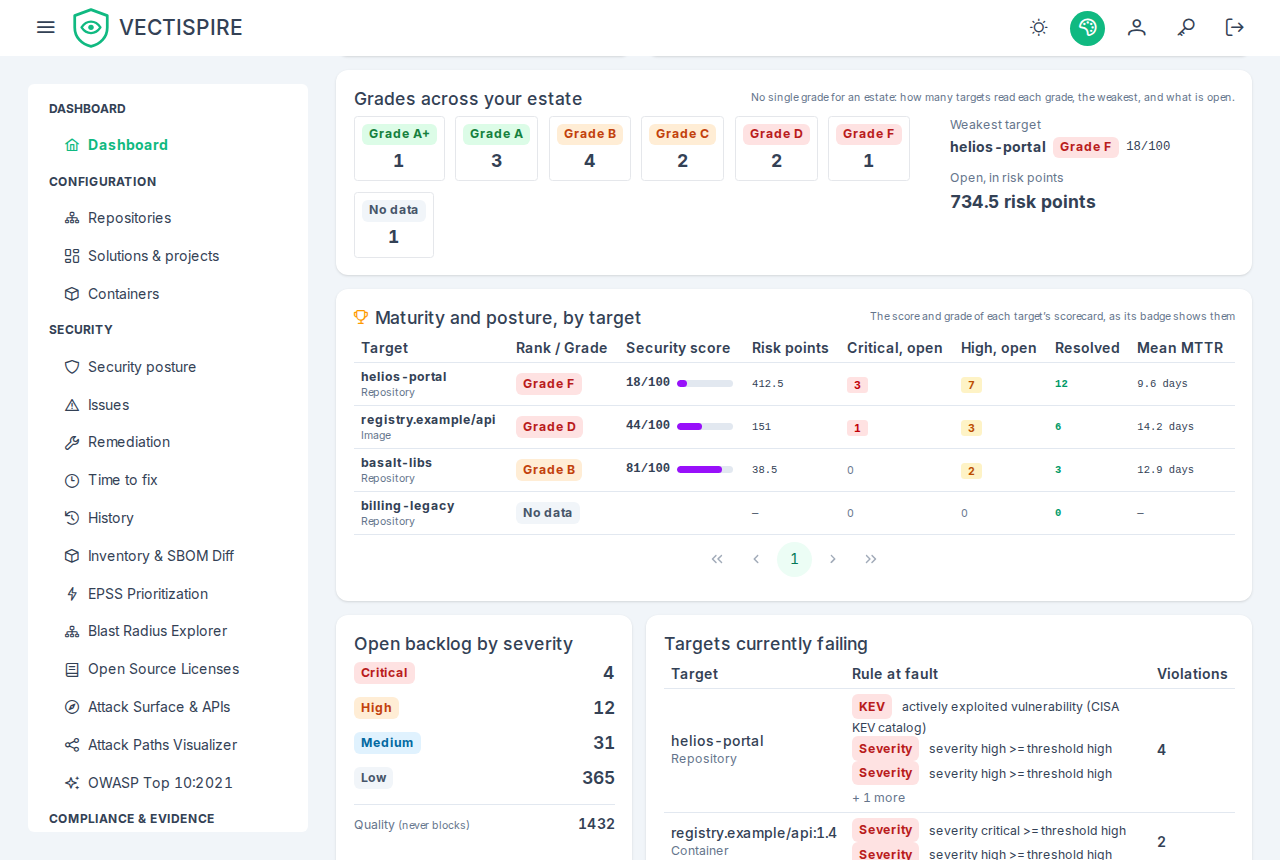
The maturity ranking gives each repository and container its scorecard's grade, from A+ to F, alongside its business criticality tier. The tier is what you set when registering the repository; the grade is computed from the backlog. A Tier 1 service at a poor grade is the first line to read on this page.
One target, one grade. The score and the grade of a row are those of the target's scorecard and of its README badge, computed by the same rule — exploited vulnerabilities, criticals, highs, mediums and lows, and disallowed licences, each weighed in risk points — described in How the scorecard grade is computed. Issues triaged not affected, will not fix or fixed are left out, as on the scorecard and at the gate; one whose dismissal is awaiting approval still counts.
Ties are broken by the risk points. Each row shows them beside the score; of two targets at the same score — both held at 1 deep in F, or at 54 by an exploited issue — the one with fewer risk points ranks first.
Which targets are listed. Every target you see that holds an open issue or a completed scan, and those whose issues are all closed. A target scanned clean is listed at 100, A+. A target holding no completed scan — its findings came from a SARIF import alone — ranks last as No data, with no score; its counts stay. A target registered and never scanned, carrying no issue, is not listed.