Users and teams
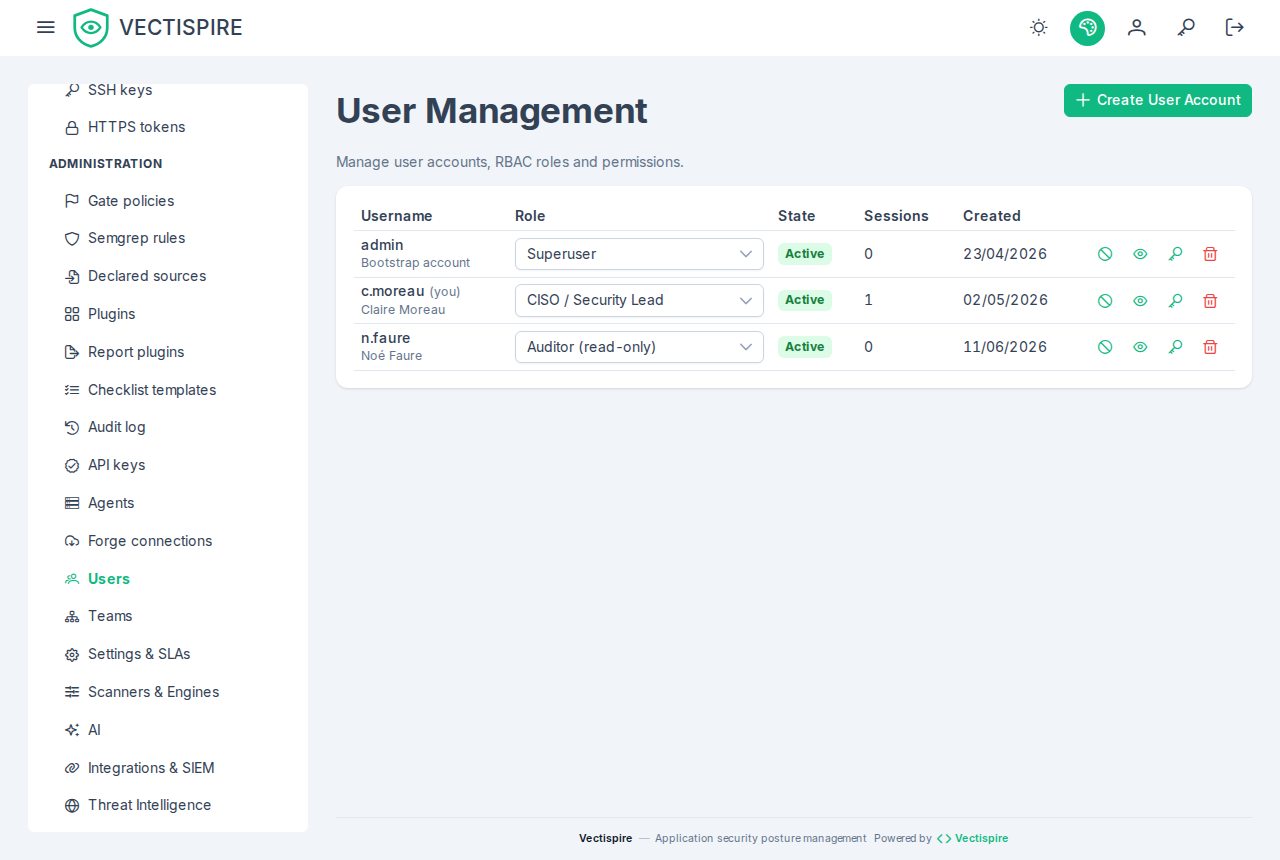
Accounts
There is no self-registration page. An administrator creates every account.
The first one comes from the bootstrap variables at first start, and only when the user table is empty — see Installation. After that, both variables are ignored.
An account has an is_active flag. A deactivated account cannot sign in, and its history
stays intact — which is the point of deactivating rather than deleting one.
Roles
Roles decide what a person may do; teams decide what they may see. The two are independent by design: granting a role does not widen someone's scope, except for the four roles that explicitly carry a global one — Auditor, CISO / Security Lead, Administrator and Superuser.
| Role | What it can do |
|---|---|
| User | Sees and triages the findings of its own targets. Cannot single-handedly approve a decision that settles an issue while four-eyes approval is on. |
| Security Champion | As above, and may approve a triage — but only within the scope its teams grant. |
| Auditor | Sees the whole estate and changes nothing, anywhere. Reads the audit log, the compliance evidence, the gate policy, the rule sets and the SIEM configuration. Approves no triage. |
| CISO / Security Lead | Sees the whole estate, approves triages, and writes governance: gate policies, rule sets, SIEM destination, licence policy, settings. Does not administer accounts. |
| Administrator | All of the above, plus accounts, teams, API keys, SSH keys and agents. |
| Superuser | The platform governor: decides the rules the others act under — four-eyes approval, target visibility — and administers accounts, but takes no triage decision and imports no VEX. Created by the installation's bootstrap. |
The auditor is worth a note. It exists because "looking" and "being able to change" used to be the same permission: the only way to open the audit log to someone was to also grant them the right to rewrite the policy they had come to check. If you have to show your posture to an assessor, a customer or an internal function, that is the role — not CISO.
Hand out administrative roles sparingly: the audit log is only as meaningful as the number of people who can change what it records.
Only a superuser administers a superuser. Granting or removing the role, resetting a superuser's password, deactivating or deleting the account are refused to an administrator. The separation rests on it: the account that can lift four-eyes is the one that cannot triage, and an administrator able to make itself superuser would hold both halves. For the same reason nobody changes their own role, up or down — another administrator has to.
Teams and visibility
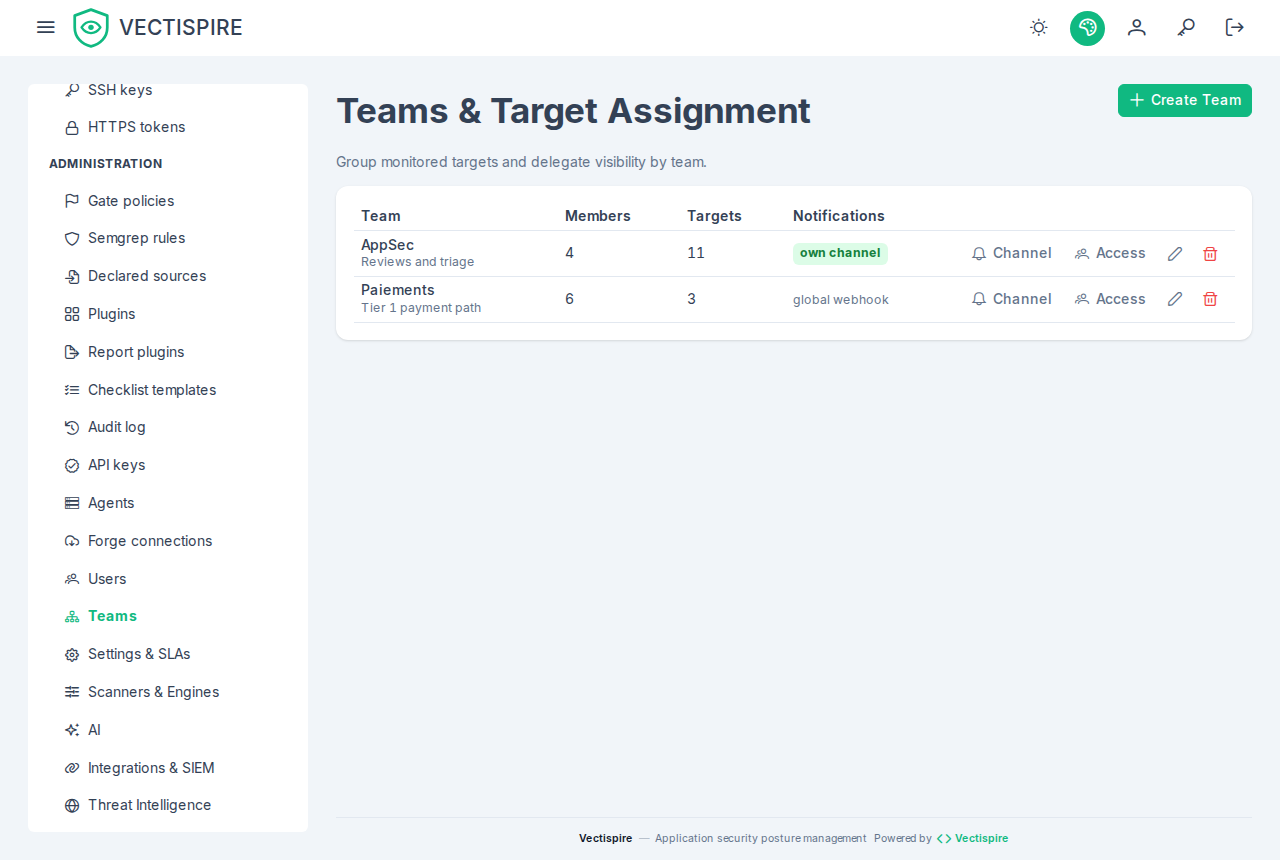
Teams decide what a person can see. Targets are owned by teams, and every list, every export and every trend series is narrowed by the reader's visibility — the dashboard's backlog-over-time series included.
That narrowing is uniform on purpose. A view that quietly ignored it would let somebody infer the shape of an estate they cannot open.
What a grant names
A grant — to an account directly, or to a team — names one of three things:
| Kind | Covers |
|---|---|
repository |
that repository |
container |
that container image |
project |
every repository in the project at the moment of each request — see Solutions and projects |
What a person sees is the union of everything granted to them directly and everything granted to their teams. Joining a team never narrows what someone already had.
A project grant follows the project. A repository filed into the project after the grant was made is visible to its holders as soon as it is filed; a repository moved out stops being visible through that grant at the same moment. Nothing is re-granted, which is the point — and why moving a repository between projects is audited as the access change it is.
There is no grant on a solution: grant each of its projects. A new grant naming a project, a
repository or an image that does not exist — or one the administrator granting cannot see — is
refused with 404, the same answer in both cases, and the account's or team's grants stay as they
were. Deleting a project, a repository or an image revokes every grant naming it.
The grant lists of an account and of a team show each target by name — a project as
Solution / Project — and a target that has since been deleted as "deleted target". Such a grant
is kept when the list is saved again, so the list stays editable; remove it to revoke it. The access
dialogs on Users and Teams offer every project, as Project — Solution / Project, next to
the repositories and images.
Unlabelled targets
A target belonging to no team is visible only to those who can see everything. It is worth checking for these after a bulk import: an unowned target is one nobody is responsible for, and its scans still count in nobody's dashboard.
Related
- Single sign-on — delegating authentication without delegating authorisation.
- API keys — for machines rather than people.
- Audit log — what gets recorded about all of this.