SSH keys
Deploy keys, so Vectispire can clone private repositories.
Adding one
SSH keys → add, paste the private half, and register the public half at your Git provider with read-only access. Vectispire never pushes.
Storing a key is refused outright until ENCRYPTION_KEY or ENCRYPTION_KEY_FILE is
set. The private half is encrypted at rest with it.
A clone with the key also checks the forge's host key: learned at the first contact, refused if it changes afterwards, or pinned by you in advance — see Over SSH: the forge's host key.
After a key rotation
Change the encryption key and existing values stop decrypting. List the previous key so they decrypt again:
VECTISPIRE_PREVIOUS_ENCRYPTION_KEYS=old-key-1,old-key-2
# or, better, out of the environment entirely:
VECTISPIRE_PREVIOUS_ENCRYPTION_KEYS_FILE=/run/secrets/vectispire-previous-keys
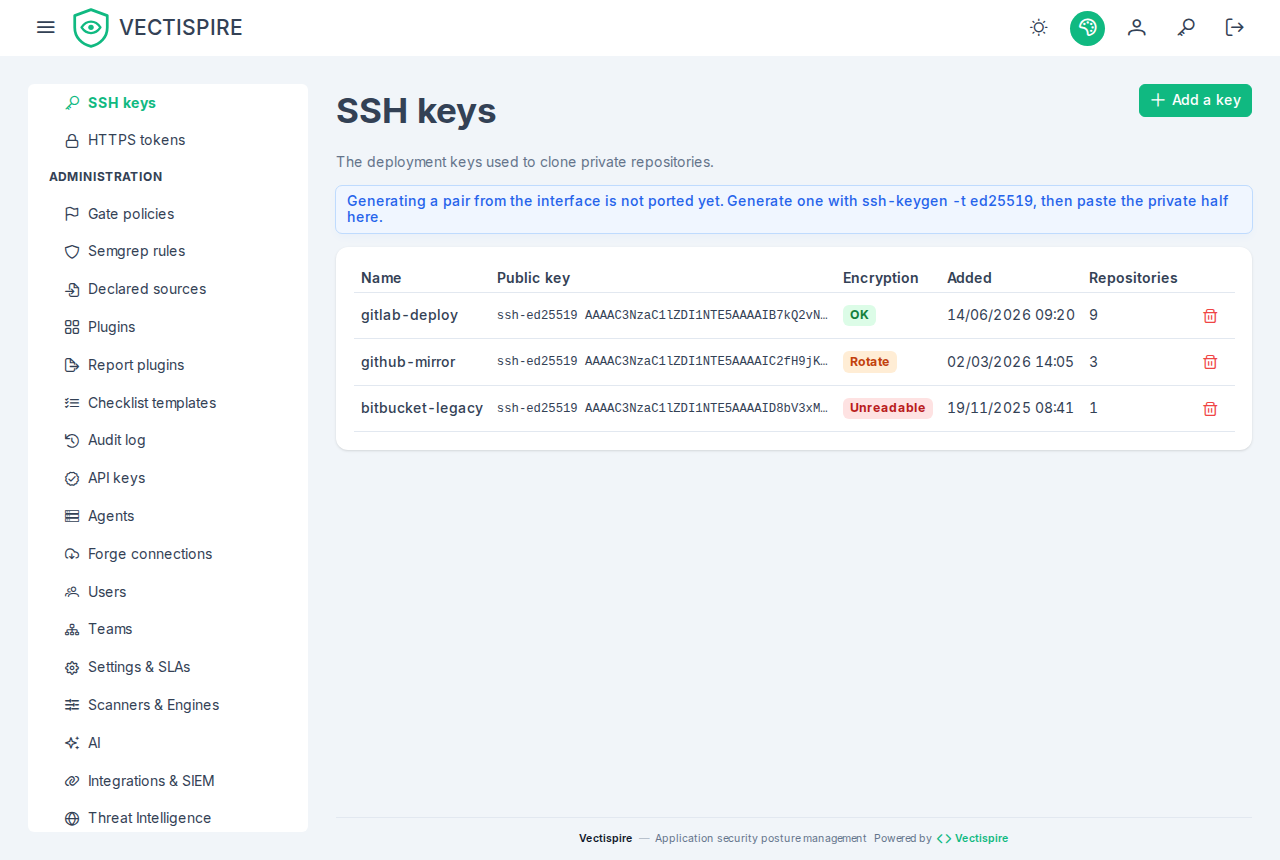
Previous keys are tried for decryption only. Values move to the new key as they are re-saved, and this page marks the rows that still depend on an old one — that marking is how you know when the rotation is actually finished rather than merely started.
The file form takes a comma- or newline-separated list, so a rotation does not have to put the old key back into the environment.
Full procedure: Rotation and purge.
A key showing "unreadable"
No configured key decrypts it. Most likely it predates any ENCRYPTION_KEY and was
encrypted with a default that used to ship in this repository.
That default has been removed, and its private half is public. Do not try to recover the key: replace the key pair at your Git provider, then register the new one here.
Related
Repositories · Agents — how a delegated key reaches a remote agent, and what that costs.